
A workspace is the top-level container for everything you do in Spro. Each workspace holds its own API keys, guardrails, BYOK provider keys, routing policies, presets, plugins, and observability integrations — fully isolated from every other workspace.
Your existing setup doesn't change
Your existing setup is already in a Default workspace. All of your API keys, guardrails, BYOK provider keys, routing policies, presets, plugins, and observability integrations are there. If you don't need multiple workspaces, keep working as usual — nothing changes.
Create a new workspace
Open Workspaces
From the sidebar, go to ** Workspaces**. Here you can see all your available workspaces.
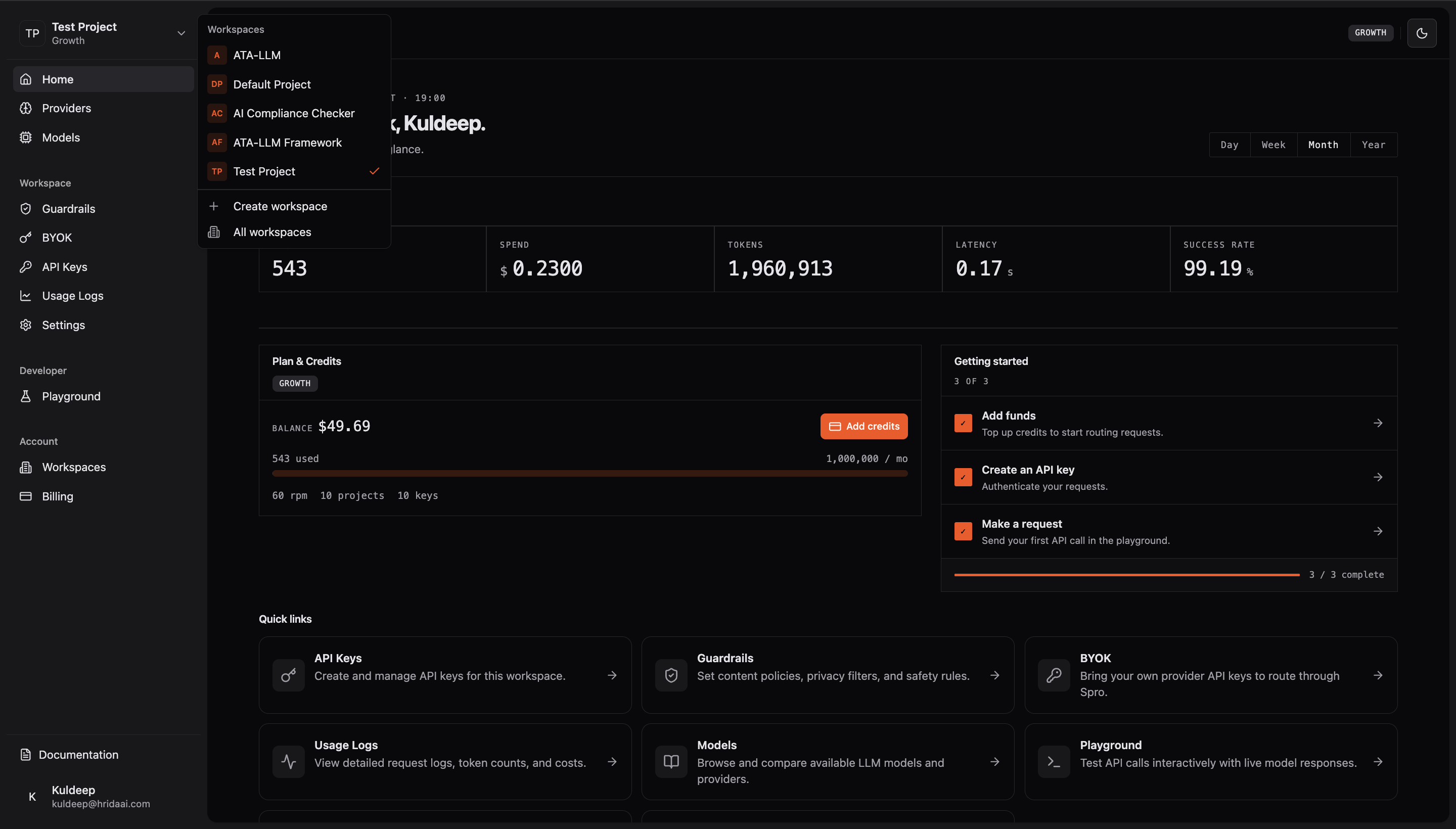
Create the workspace
Click Create Workspace and give it a name — e.g. acme-production or acme-staging.
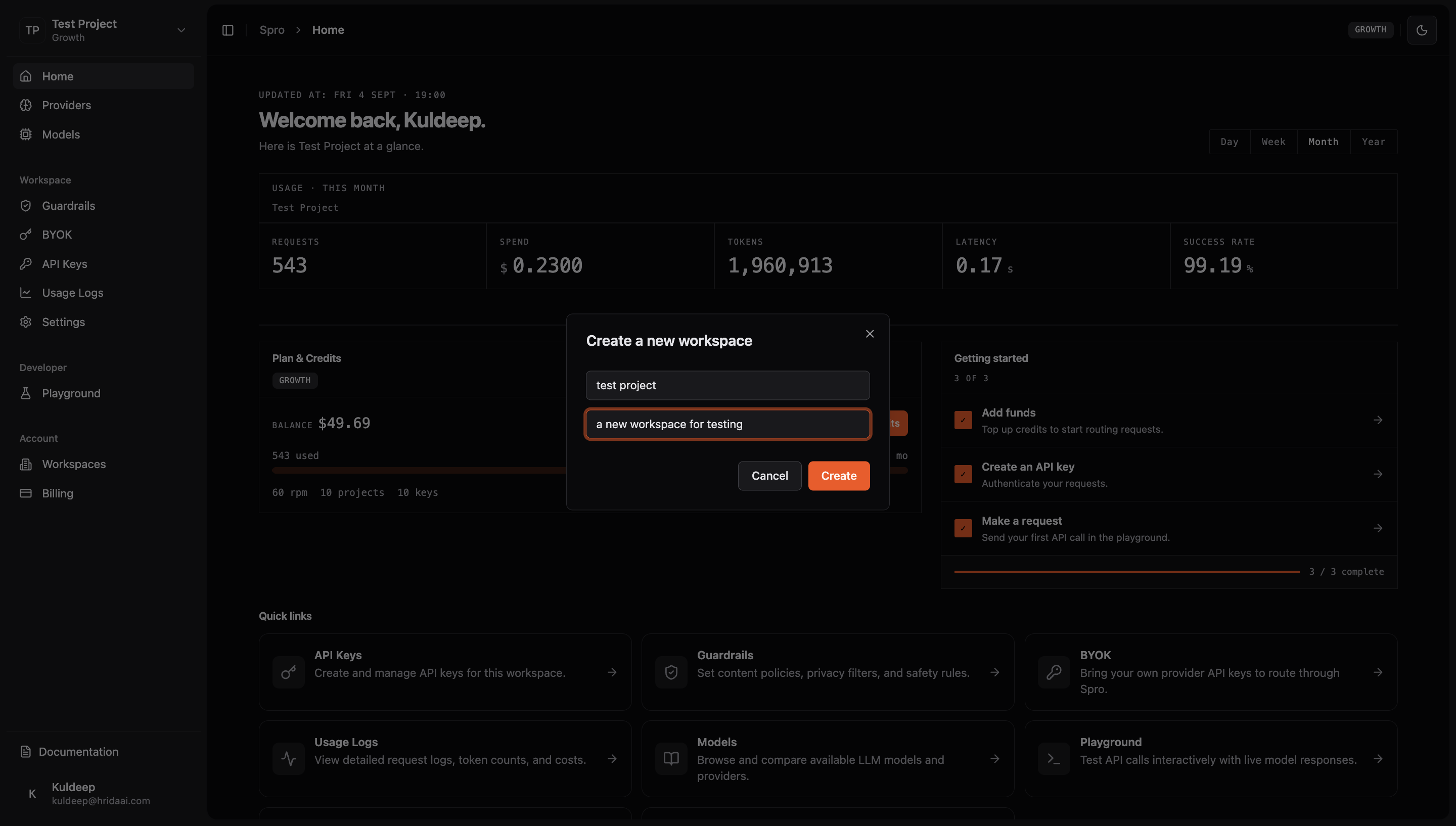
Switch to it
Use the workspace switcher dialog at the top of the sidebar to move between workspaces. Everything you configure from that point on — keys, guardrails, BYOK connections — belongs to the active workspace.
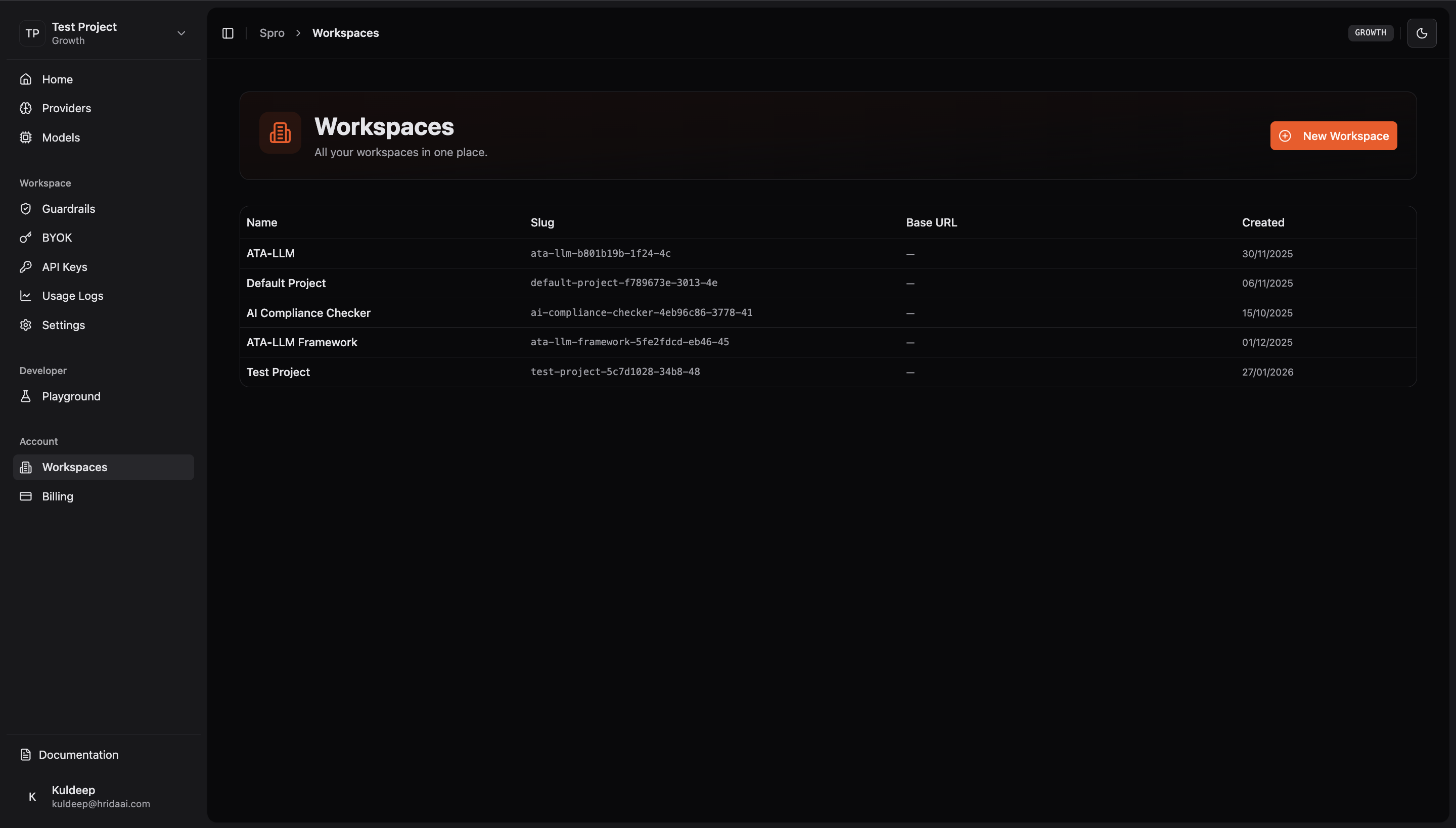
What's scoped to each workspace
Each workspace has independent settings for:
- Dashboard — the dashboard for the active workspace: an at-a-glance view of usage, spend, and activity.
- API Keys — every API key lives in a workspace. Members can create their own keys in any workspace they belong to. For organizations, admins can create system keys owned by the workspace rather than an individual user.
- Guardrails — each workspace has its own guardrails to govern API key and member activity. Workspace guardrails inherit account-level policies and can add more restrictive rules within those constraints.
- BYOK — bring your own provider keys per workspace, or share the same provider key across multiple workspaces.
- Observability — requests, tokens, latency, and costs for this workspace.
- Settings — workspace-wide configuration, members, and defaults inherited by projects.
Account-level settings
A couple of pages sit above workspaces and apply to your whole account:
- Billing — your plans, payment methods, and account-wide spend.
- Workspaces — see all your workspaces, create new ones, and switch between them.
When to use multiple workspaces
- Environment isolation — separate
productionandstagingworkspaces so keys and guardrails never cross environments - Team or customer separation — one workspace per team, product, or customer, each with its own billing view
- Experiments — try new guardrail or routing configurations in a scratch workspace before promoting them